Best Practices for Deploying User Friendly Controls in Harsh Facilities
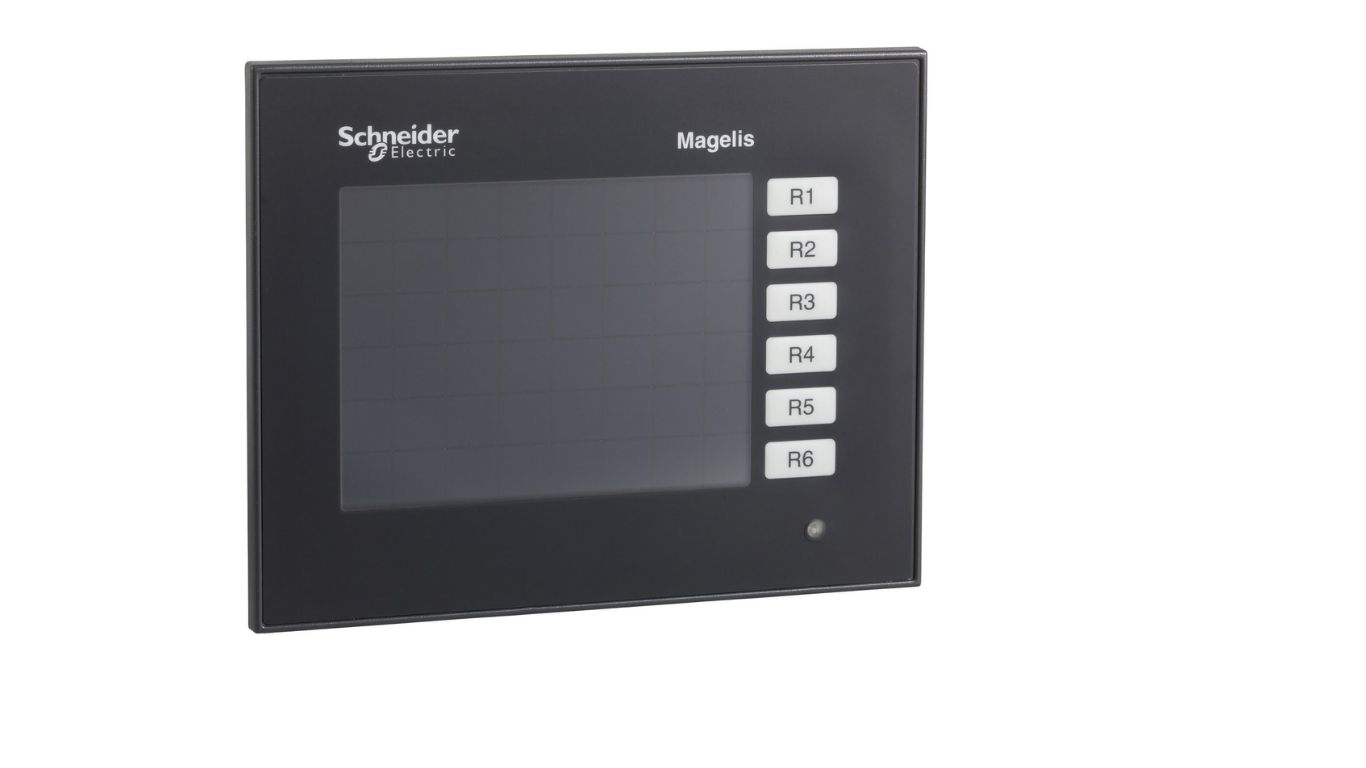
Industrial environments such as manufacturing plants, processing facilities, and outdoor installations often present extreme challenges for control systems. Dust, vibration, moisture, temperature fluctuations, and continuous operation can quickly expose weaknesses in poorly planned interfaces. Selecting and deploying robust yet intuitive control solutions is critical, especially when systems like XBTGT2330 – advanced touchscreen panel – 320 x 240 and XBTGT1100 – advanced touchscreen panel – 320 x 240 are expected to support operators in demanding conditions. A thoughtful deployment strategy ensures both long-term reliability and ease of use for personnel working under pressure.
Understanding the Challenges of Harsh Facilities
Environmental Stress Factors
Harsh facilities are defined by conditions that go beyond standard office or laboratory environments. These may include high humidity, airborne particles, corrosive substances, constant vibration, or extreme heat and cold. Control systems must be able to function accurately without degradation despite prolonged exposure to these elements.
Human Factors in Difficult Conditions
Operators in these environments often wear gloves, protective eyewear, or other safety gear that can make interaction more difficult. Noise, poor lighting, and time-sensitive decision-making add further complexity. User friendly controls must compensate for these realities rather than assume ideal working conditions.
Designing Interfaces with the Operator in Mind
Prioritizing Simplicity and Clarity
In harsh facilities, simplicity is not a luxury—it is a necessity. Interfaces should present only essential information, avoiding clutter or unnecessary animations. Clear labeling, logical grouping of functions, and consistent layouts reduce cognitive load and minimize errors during critical operations.
Readable Visuals in All Conditions
Screens must remain readable under varying lighting conditions, including glare from sunlight or dim indoor areas. High contrast color schemes, large fonts, and clear icons help ensure that operators can quickly understand system status at a glance.
Hardware Placement and Physical Accessibility
Strategic Installation Locations
Where a control interface is mounted can significantly impact usability. Panels should be positioned at comfortable viewing heights and angles, away from excessive heat sources or areas prone to direct impact. Proper placement also reduces operator fatigue and improves overall workflow efficiency.
Allowing for Protective Gear Use
Controls should be responsive and designed for interaction by users wearing gloves or using tools. Adequate spacing between on-screen elements prevents accidental inputs, especially when precision is compromised by protective equipment.
Enhancing Reliability Through System Configuration
Redundancy and Fail-Safe Design
In environments where downtime is costly or dangerous, redundancy is essential. Critical controls should have backup access points or alternative methods of operation. Fail-safe behaviors ensure that systems move to a safe state in the event of unexpected failures.
Consistent Response and Feedback
User confidence increases when systems behave predictably. Immediate visual or audible feedback after an input reassures operators that commands have been received and executed correctly. This is especially important in noisy or visually complex environments.
Maintenance and Long-Term Usability
Designing for Easy Cleaning and Inspection
Dust and debris accumulation is common in harsh facilities. Interfaces should be easy to clean without requiring complex disassembly. Smooth surfaces and sealed designs help prevent contaminants from interfering with functionality.
Supporting Updates and Adjustments
Operational requirements evolve over time. Control systems should allow for software updates and interface adjustments without major downtime. Flexible configurations make it easier to adapt to new processes or regulatory requirements.
Training and Standardization
Reducing Learning Curves
Even the most robust control system fails if operators struggle to use it. Standardized interface layouts across different machines help reduce training time and improve operator confidence. Familiar design patterns allow staff to transfer knowledge easily between systems.
Clear Documentation and On-Screen Guidance
Providing concise documentation and built-in guidance supports operators during troubleshooting or infrequent tasks. Contextual help screens and straightforward error messages prevent confusion and reduce reliance on external support.
Testing in Real-World Conditions
Simulating Environmental Extremes
Before full deployment, control interfaces should be tested under conditions that mimic real-world use. Exposure to vibration, temperature changes, and contaminants during testing helps identify weaknesses early and prevents costly adjustments later.
Gathering Operator Feedback
Operators are the end users and often the first to notice usability issues. Involving them during testing and commissioning leads to practical improvements and increases acceptance of the system once it goes live.
Conclusion: Building Controls That Last and Perform
Deploying user friendly controls in harsh facilities requires a careful balance between durability, clarity, and human-centered design. By focusing on environmental challenges, operator needs, and long-term maintenance, organizations can create interfaces that enhance safety and productivity. When thoughtfully implemented, solutions such as XBTGT2330 – advanced touchscreen panel – 320 x 240 and XBTGT1100 – advanced touchscreen panel – 320 x 240 demonstrate how well-planned control systems can remain intuitive and dependable even in the most demanding industrial environments.