What to Look for in a High-Performance Industrial Display
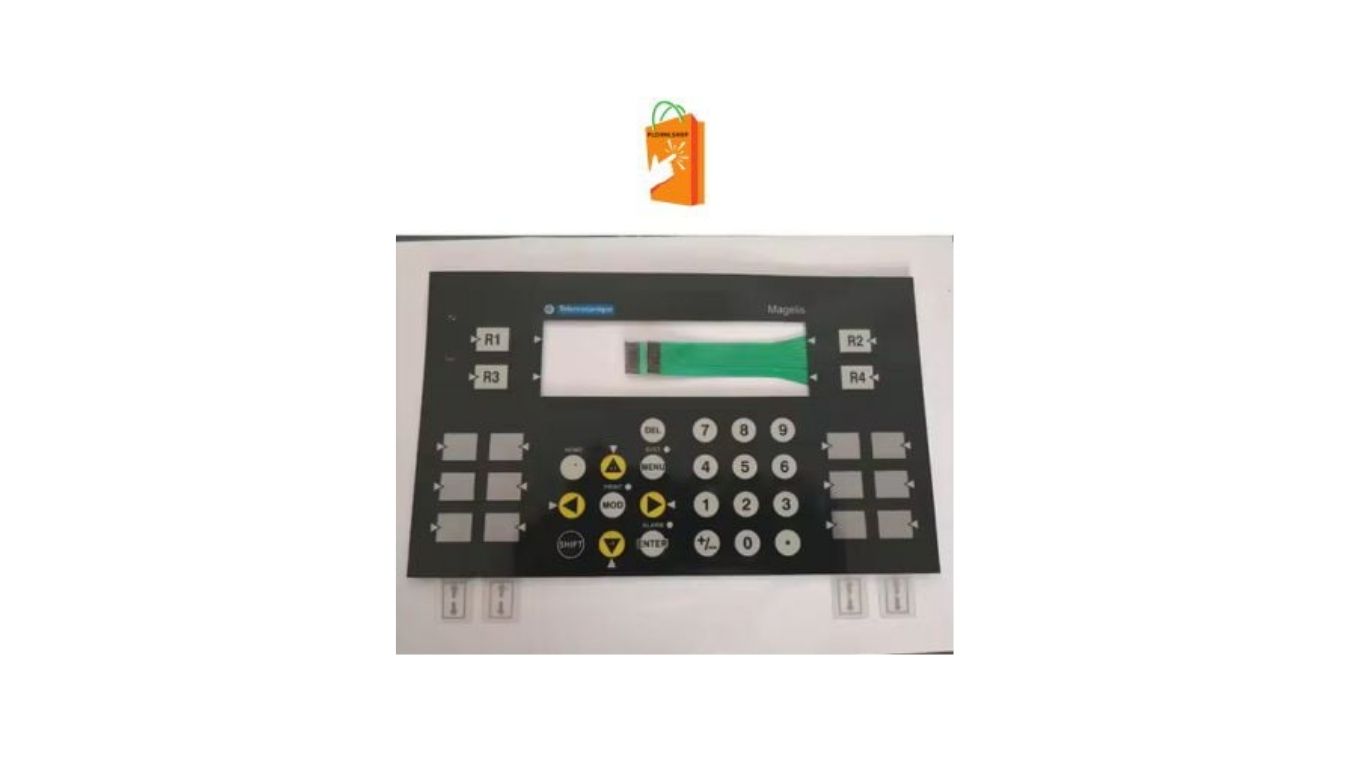
In today’s automated facilities, a reliable and intuitive industrial display is the nerve center of daily operations. Whether it’s monitoring production lines, adjusting parameters, or responding to alarms, the right screen can dramatically affect uptime and safety. When evaluating options, many buyers reference part numbers and configurations such as OPERATOR INTERFACE MAGELIS XBTPM027010 to benchmark expectations around size, performance, and usability—but the real decision should always be driven by features and fit for your environment.
Understanding the Role of Industrial Displays
Industrial displays—often called human–machine interfaces—bridge the gap between operators and machines. They translate complex data into actionable visuals and provide a touch-based way to control equipment. A high-performance unit must do three things exceptionally well: present information clearly, withstand harsh conditions, and communicate seamlessly with control systems.
Why Clarity and Speed Matter
Operators make split-second decisions. A crisp screen with fast refresh rates ensures alarms, trends, and prompts are visible without lag. When displays stutter or wash out, mistakes happen—costly ones.
The Cost of Downtime
Every minute of downtime has a price. A dependable display with strong build quality and stable firmware helps avoid unexpected failures that can halt production.
Display Quality and Readability
The first thing anyone notices is the screen itself. Not all industrial displays are created equal.
Resolution and Size
Higher resolution means more data in less space and sharper text. Choose a size that fits your control panel and gives operators enough room to view charts, alarms, and controls without crowding.
Brightness and Viewing Angles
Industrial environments vary from dim control rooms to brightly lit factory floors. Look for displays with high brightness (measured in nits) and wide viewing angles so the screen remains readable even when viewed from the side or in direct light.
Touch Responsiveness
A responsive touch layer—resistive or capacitive—ensures accurate input even when operators wear gloves or have damp hands. Poor touch performance leads to repeated taps and wasted time.
Durability for Harsh Environments
Factories and plants are tough places for electronics. Heat, dust, vibration, and moisture can shorten the life of a poorly built display.
Enclosure Ratings
Look for protection ratings that indicate resistance to dust and water. A sealed front panel prevents contaminants from entering and damaging internal components.
Temperature Tolerance
Some locations run hot, others cold. A high-performance display should operate reliably across a wide temperature range without dimming or slowing down.
Shock and Vibration Resistance
Equipment mounted on moving machinery or near heavy motors needs rugged construction. Reinforced frames and solid mounting points keep the display stable and functional.
Connectivity and Compatibility
A great screen is useless if it can’t talk to your machines. Connectivity is a critical factor in performance.
Communication Protocols
Ensure the display supports the protocols used by your control systems. Compatibility reduces integration time and avoids the need for additional hardware.
Ports and Expansion
Ethernet, USB, and serial ports allow for data exchange, firmware updates, and peripheral connections. Expansion options add flexibility for future upgrades.
Network Performance
Fast and stable networking keeps real-time data flowing smoothly. This is essential for trend displays, remote monitoring, and alarm management.
Software and User Experience
The hardware may get most of the attention, but software defines how easy and powerful a display is.
Intuitive Interface Design
A logical layout, clear icons, and consistent navigation reduce training time. Operators should be able to find what they need quickly, even during high-pressure situations.
Customization and Scalability
Look for systems that let you design custom screens, add new machines, and expand functionality as your operation grows.
Security Features
User logins, access levels, and audit trails help protect critical settings and provide accountability for changes made on the shop floor.
Performance and Reliability
High performance isn’t just about looks—it’s about how well the display handles real workloads.
Processing Power
A faster processor means smoother animations, quicker screen changes, and reliable multitasking when multiple applications run simultaneously.
Memory and Storage
Adequate memory prevents slowdowns, while sufficient storage allows for data logging, recipe management, and backup files.
Long-Term Stability
Industrial displays are expected to run for years. Stable firmware and a track record of reliability reduce maintenance and replacement costs.
Installation and Maintenance
Ease of installation and upkeep can save significant time and money.
Panel Mounting Options
A well-designed mounting system ensures a secure fit and clean integration into existing control panels.
Serviceability
Front-accessible ports, easy firmware updates, and clear diagnostics simplify troubleshooting and reduce downtime.
Documentation and Support
Clear manuals and accessible technical resources help teams resolve issues quickly and keep systems running smoothly.
Evaluating Total Cost of Ownership
The purchase price is only part of the story. Consider the full lifecycle cost.
Energy Efficiency
Lower power consumption reduces operating costs, especially in facilities with many displays running 24/7.
Longevity and Spare Parts
A display designed for long service life with readily available replacement parts minimizes future expenses.
Upgrade Paths
The ability to update software or add features later protects your investment as technology evolves.
Conclusion
Choosing the right high-performance industrial display is about balancing clarity, durability, connectivity, and long-term reliability. By focusing on real-world needs—how operators interact with the system, the environment it must survive, and the networks it must connect to—you can select a solution that delivers consistent value and keeps production running smoothly. When comparing specifications or part references such as ALLEN BRADLEY 2711K9C10, remember that the best choice is the one that aligns with your operational goals, ensures safety, and supports future growth.