Allen-Bradley PLC Parts: 6 Smart Ways to Find Obsolete Components Fast
Finding Allen-Bradley PLC parts for an older system used to mean one thing: calling around until someone had what you needed. Rockwell has phased out entire families, PLC-5, SLC 500, and even early ControlLogix generations, while thousands of plants still run them daily.
If you’re staring at a faulted rack right now, here’s where to actually look, and what to check before you buy.
Why Allen-Bradley PLC Parts Get Discontinued So Often
Rockwell moves fast on product refreshes compared to some competitors. A processor that shipped ten years ago can already be end-of-life, even if it’s still the backbone of a working production line.
That’s why the market for used and refurbished Allen-Bradley PLC parts stays active long after Rockwell stops selling something new. Plants aren’t ripping out functioning hardware just because a catalog number disappeared.
There’s also a cost factor at play. A full processor and rack upgrade often means new programming software licenses, re-validation of the control logic, and sometimes weeks of commissioning downtime. For a lot of facilities, sourcing a matching legacy part is simply the faster, cheaper path, especially when the rest of the line is running exactly as it should.
This is why the secondary market for Allen-Bradley hardware has grown into its own industry. Surplus suppliers, resellers, and repair shops now specialize almost entirely in parts Rockwell no longer sells new, and demand for that inventory hasn’t slowed down.
1. Identify the Exact Processor Generation
Before sourcing anything, confirm which family you’re dealing with. A 1756-L62 ControlLogix processor is a completely different animal than an older PLC-5 unit, and neither is interchangeable with a legacy SLC 500 processor.
Mixing these up wastes time and money, so match the exact catalog number and series/revision, not just the family name. Even within the same processor family, a minor revision difference can affect firmware compatibility, memory capacity, or which programming software version is required to talk to it.
It helps to physically pull the part off the rack and read the full nameplate rather than relying on what a parts list or an old purchase order says. Labels fade, part numbers get transcribed incorrectly over the years, and a facility’s documentation isn’t always as accurate as the actual hardware in the panel.
2. Don’t Forget I/O and Communication Modules
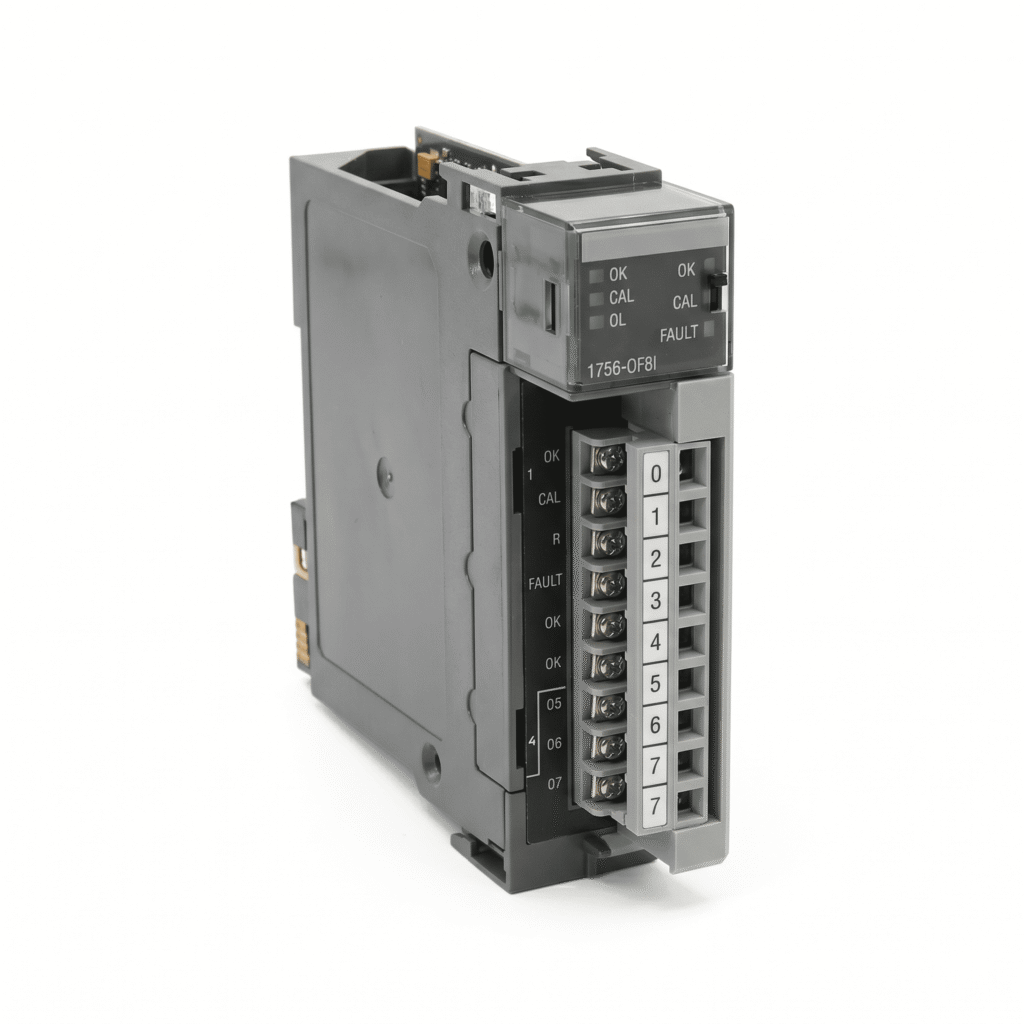
Processors get all the attention, but I/O cards fail just as often. An analog input module or a discrete input card can quietly cause faults that look like a processor problem.
Older systems relying on a small slot filler or expansion piece are also worth checking early, since these small components get overlooked during troubleshooting. It’s common for a technician to spend hours diagnosing a “processor fault” that turns out to be a single failed input card throwing bad data into the program.
Communication modules deserve the same attention. A network card failing intermittently can produce symptoms that look nothing like a communication issue, dropped values, stale readings, or alarms that come and go. If a fault seems inconsistent or hard to reproduce, it’s worth checking the communication path before assuming the processor itself is at fault.
3. Check Operator Interface Terminals Alongside the PLC
A PLC swap is only half the job if the HMI is on the same obsolete timeline. PanelView terminals like the 2711-K3A10L1 are common companions to the same generation of PLCs and go obsolete on a similar schedule.
Larger touchscreen units and older DataTerminal units fall into the same boat, so check the whole HMI lineup, not just the processor. It’s easy to focus entirely on getting the logic side of a system back online and forget that operators still need a working screen to run the line day to day.
Many facilities end up replacing an HMI reactively, after a screen goes dark mid-shift, rather than proactively as part of routine maintenance planning. Keeping a known-good spare terminal on the shelf, even an older model, can turn a multi-day production stoppage into a twenty-minute swap.
4. Verify Backplane and Chassis Compatibility
Slot count and backplane revision matter more than people expect. A CompactLogix processor and a communication adapter both need the right chassis generation to function correctly, and mismatched revisions are a common cause of “it doesn’t power up” support calls.
This is one of the more frustrating failure points because the parts can look completely correct on the outside. A rack that’s a slightly different backplane revision than the rest of the system might accept the module physically but fail to communicate properly, or worse, cause intermittent faults that are hard to trace back to the root cause.
Before ordering a replacement chassis or backplane, it’s worth cross-referencing the revision against the rest of your installed hardware, not just assuming that “same part number” means “fully compatible.”
5. Buy Cable and Accessory Parts Too
It’s easy to forget the small stuff until it fails. Accessory items like cable assemblies are exactly the kind of part that’s impossible to find on short notice if you haven’t sourced it in advance.
Connectors, terminating resistors, communication cables, and mounting hardware rarely get the same attention as a processor or an I/O card, but a single bad cable can take down an entire network segment. Keeping a small stock of these accessories on hand is one of the cheapest forms of insurance against unplanned downtime.
6. Buy From a Supplier Who Tests Before Shipping
The single biggest risk with used Allen-Bradley PLC parts isn’t age, it’s buying untested inventory. A reputable seller should be able to tell you whether a part was bench-tested, visually inspected only, or sold as-is.
Browse the full PAC/PLC category for tested stock, or reach out directly through the contact page if you need help identifying an exact part number before you order.
A good supplier will also be upfront about warranty terms on used hardware. Even a short warranty window, thirty or sixty days, gives you a way to confirm a part is functioning correctly once it’s installed, rather than finding out weeks later during the next scheduled changeover that something wasn’t quite right.
For background on how these platforms fit into a broader control system, Rockwell Automation’s own product compatibility and lifecycle resources are worth checking, and the Wikipedia entry on programmable logic controllers is a good general primer if you’re newer to the platform.
Q: Are refurbished Allen-Bradley PLC parts safe to use in production?
A: Yes, as long as they’ve been properly tested before shipping. The condition matters far more than the age. A bench-tested processor or I/O card from a reputable supplier can run reliably for years.
Q: How do I find out if my Allen-Bradley PLC part is officially discontinued?
Check our Rockwell Automation’s product lifecycle status tool using the exact catalog number. If it shows as discontinued or end-of-life, that confirms you’ll need to source from the secondary market going forward.
Q: Can I upgrade from PLC-5 or SLC 500 to ControlLogix without replacing everything?
A: Sometimes, using migration modules or gateway hardware, but full compatibility depends on your existing I/O and program structure. In many cases it’s more cost-effective to source matching legacy parts short-term while you plan a full migration.
Q: What’s the fastest way to replace a failed Allen-Bradley PLC part during a shutdown?
A: Confirm the exact catalog number and series/revision first, then check a surplus supplier’s live inventory before calling for a factory quote. Tested used parts typically ship same-day, while new replacements can take weeks on discontinued lines.
Allen-Bradley hardware is built to outlast its own product cycle, which is exactly why sourcing Allen-Bradley PLC parts takes a bit of strategy. Know your exact catalog numbers, check I/O and HMI terminals alongside the processor, and buy from a supplier that tests before it ships.