Magelis HMI Panels: 5 Things to Check Before Buying a Replacement Screen
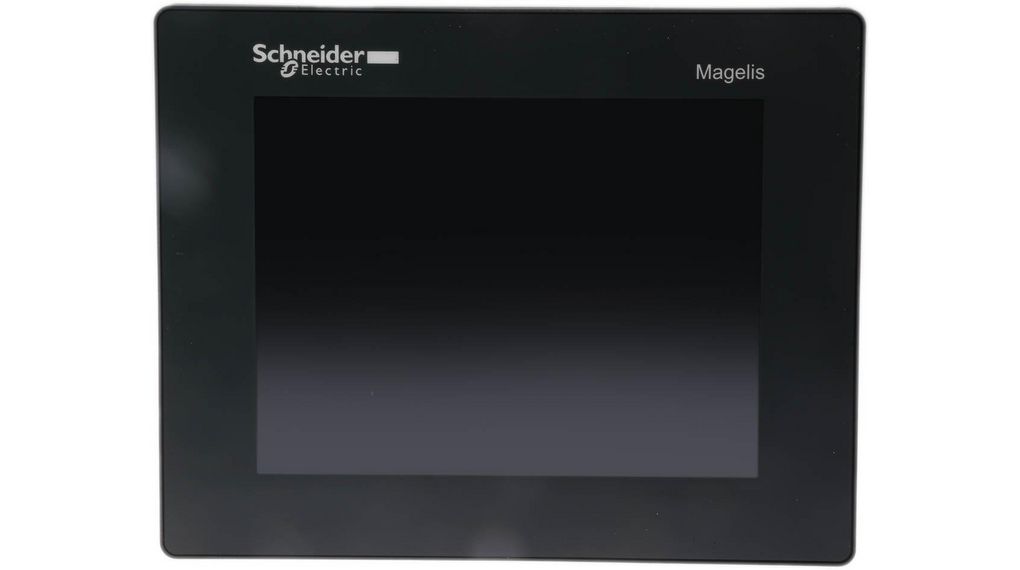
When a touch screen goes dark on the plant floor, operators lose visibility into the whole process, even if the PLC underneath is running fine. That’s why Magelis HMI panels are one of the most urgent replacement parts in Schneider Electric-based automation systems.
The tricky part isn’t finding a screen that looks similar. It’s finding the exact model that matches your program, your connector layout, and your rack.
Why Magelis HMI Panels Fail Before the PLC Does
Touch panels take more physical abuse than almost any other component in a control cabinet. Constant touch input, temperature swings, and years of operator use wear out the touchscreen layer and backlight long before the PLC logic underneath shows any problem.
That’s why so many facilities end up replacing Magelis HMI panels on a completely different schedule than their Modicon PLCs, even though the two are directly connected.
There’s a practical reason for this too. A PLC sits inside an enclosed cabinet, largely protected from dust, humidity, and physical contact. The HMI, on the other hand, is mounted right on the front of the panel where operators touch it dozens or hundreds of times a shift. Screen protectors help, but they don’t stop the wear entirely, and over years of continuous use, the touchscreen layer and backlight degrade well before the underlying electronics fail.
This mismatch in failure timelines is exactly why HMI replacement tends to be reactive rather than planned. Most facilities don’t think about a spare touch panel until the one in service goes dark mid-shift, at which point it becomes an emergency purchase instead of a routine one.
1. Match the Exact Model, Not Just the Size
Screen size is the least important spec to match. A XBTGT7340 and a similarly sized unit might look alike on a shelf, but they run different firmware, resolutions, and mounting cutouts.
Smaller units have their own distinct connector layouts too, so always confirm the full part number before ordering a replacement. Even panels from the same generation and series can differ in resolution, memory capacity, and the specific communication ports available on the back of the unit.
It’s worth taking a photo of the full nameplate before ordering anything, rather than working from memory or an old purchase record. Part numbers on HMI units are often long and easy to mistype, and a single incorrect character can mean ordering a panel with the wrong resolution or a completely different mounting depth.
2. Check Communication Protocol Compatibility
Not every Magelis panel talks to a Modicon PLC the same way. Some older units were built around Uni-Telway or other legacy serial communication standards that newer panels don’t always support out of the box.
If you’re upgrading rather than doing a straight swap, confirm your PLC’s communication port matches what the new screen expects before you commission anything. This is one of the most common mistakes in HMI replacement projects, a facility buys a newer panel assuming it will simply plug in, only to discover the communication driver or protocol isn’t supported without an additional gateway or configuration change.
Taking the time to verify this upfront, before the old panel is even removed from the cabinet, can save an entire day of troubleshooting once the new unit is mounted and the line is waiting to restart.
3. Don’t Overlook Power and Cable Accessories
A dead screen isn’t always the panel’s fault. Power supply issues and cable faults account for a surprising number of “broken HMI” service calls. Keeping a spare cable or connector kit on hand can save a truck roll for what turns out to be a simple connection problem.
Mounting and gasket kits are also easy to forget until you’re standing in front of a panel that won’t seal properly. A worn gasket might seem like a minor detail, but in a washdown environment or a dusty plant floor, it’s often the difference between a panel lasting years and one that fails early from moisture or particulate intrusion behind the screen.
It’s worth treating these accessories as part of the same purchase as the panel itself, rather than an afterthought. A technician troubleshooting a dim or unresponsive screen will often replace the entire unit when the real problem was a loose or corroded connector that a five-dollar part would have fixed.
4. Match Newer Magelis HMI Panels to Legacy Systems Carefully
Schneider’s newer Magelis lines, including HMISTO and HMIG-series units like the HMISTO501, offer better long-term availability than older XBT models.
If you’re already planning a broader upgrade, newer touch panels and industrial box PCs are worth considering as a longer-term replacement path rather than continuing to source discontinued XBT units indefinitely. Sourcing an exact XBT replacement gets harder every year as original stock thins out, so a facility planning more than a quick fix should weigh whether it’s time to migrate to a currently supported platform instead.
That said, a full migration isn’t always practical on short notice. It usually means updating the HMI project file, testing the new communication setup, and retraining operators on a slightly different interface. For an emergency replacement, matching the existing model is almost always the faster path, with a planned migration handled separately during a scheduled maintenance window.
5. Buy From a Supplier That Confirms Condition Before You Order
Used touch panels are one of the easiest parts to misjudge from a photo alone, since touchscreen wear and backlight dimming aren’t always visible until the unit is powered on. Ask whether a panel has been tested and calibrated, not just visually inspected.
Browse the full Schneider Electric category for tested stock, or reach out through the contact page if you need help confirming the right model for your specific rack.
A supplier that powers on and calibrates each panel before shipping is worth paying a bit more for. Touchscreen calibration drift, in particular, is something that’s nearly impossible to spot from a listing photo, and it’s exactly the kind of issue that shows up only after the panel is already mounted and wired into the cabinet.
For general background on how operator interfaces fit into an automation system, the Wikipedia overview of human-machine interfaces is a useful primer, and Schneider Electric’s own product documentation library is the best place to confirm current specs before buying..
Frequently Asked Questions
Q: Can I replace an older XBT panel with a newer Magelis HMI panel without reprogramming?
A: Rarely without any changes. Older XBT models and newer Magelis lines often use different configuration software and communication protocols, so plan on at least a partial reconfiguration when upgrading.
Q: Why does my Magelis HMI panel show a blank or dim screen but the PLC is still running?
A: This usually points to a backlight failure or a power supply issue rather than a PLC fault. Check power and cable connections first before assuming the panel itself needs full replacement.
Q: Are used Magelis HMI panels reliable, or should I always buy new?
A: Used panels can be perfectly reliable if they’ve been tested and calibrated before sale. Since many original models are discontinued, tested used units are often the only realistic option for an exact match.
Q: What information do I need before ordering a replacement Magelis HMI panel?
A: The full catalog number from the back of the unit, along with your PLC’s communication protocol and port type. Screen size alone isn’t enough to guarantee compatibility.
Touch panels wear out faster than the logic behind them, which is exactly why sourcing Magelis HMI panels takes more care than it looks like at first. Match the exact model, confirm the communication protocol, and buy from a supplier that tests before it ships.