Magelis XBT GT Panels: Compare Size, Colors and Cutouts
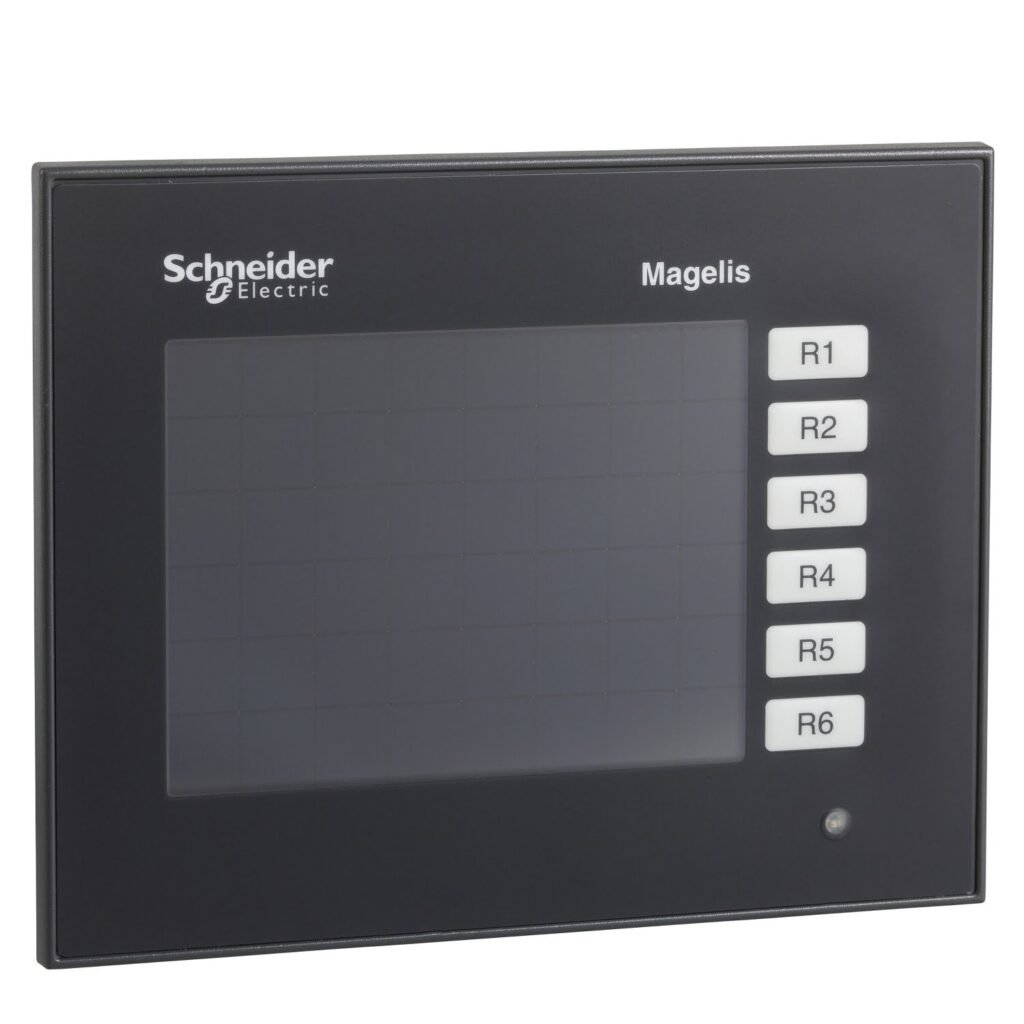
The panel cutout decides whether a replacement fits. The XBTGT1100 needs a 118 x 92.5 mm hole. The XBTGT2330 needs 156 x 123.5 mm. The XBTGT7340 needs 383.5 x 282.5 mm. Two of these panels share the same 320 x 240 resolution, but they are not drop-in swaps for each other.
A dark operator screen stops the line. You need the right panel on the first order. This guide compares three common Magelis XBT GT panels using the published specs.
What Stays the Same
All three panels share these traits:
- Vijeo Designer configuration software
- 512 kB SRAM with lithium battery backup
- 24 V DC supply (19.2 to 28.8 V)
- IP65 front panel and NEMA 4X (indoor use)
- Flush mounting
- Operating range of 0 to 50 °C
So the label alone won’t tell you which one you have. The numbers below will.
Magelis XBT GT Panels Compared
| Spec | XBTGT1100 | XBTGT2330 | XBTGT7340 |
|---|---|---|---|
| Screen size | 3.8 in | 5.7 in | 15 in |
| Display | Monochrome STN (amber or red) | Color TFT, 65,536 colors | Color TFT, 65,536 colors |
| Resolution | 320 x 240 (QVGA) | 320 x 240 (QVGA) | 1024 x 768 (XGA) |
| Processor | 100 MHz RISC | 133 MHz RISC | 266 MHz RISC |
| Touch type | Resistive film | Analogue | Analogue |
| Power consumption | 7 W | 26 W | 42 W |
| Panel cutout | 118 x 92.5 mm | 156 x 123.5 mm | 383.5 x 282.5 mm |
| Depth | 41 mm | 59.5 mm | 60 mm |
| Weight | 0.4 kg | 1 kg | 5.6 kg |
| Ethernet port | Not listed | 10/100 | 10/100 |
| Fieldbus card slot | Not listed | 1 (DeviceNet, Profibus DP) | 1 (DeviceNet, Profibus DP) |
Figures come from the published specifications on each product page. Confirm against Schneider’s datasheet for your exact revision.
1. Measure the Cutout First
Measure the hole in your panel door before anything else. Don’t go by screen size or the old label.
The three cutouts are very different. A 5.7 in panel won’t fit a 3.8 in hole without enlarging it. Cutting a new hole on a live panel is slow. Get this right before you order.
2. Don’t Assume Same Resolution Means Same Panel
The XBTGT1100 and XBTGT2330 are both 320 x 240. But one is a small monochrome screen. The other is a larger color screen with a bigger cutout.
If you move between sizes or color types, check how your screens look on the new panel. Open the project in Vijeo Designer before commissioning.
3. Check Your 24 V Supply Capacity
All three run on 24 V DC, but the draw is very different:
- XBTGT1100: 7 W (about 0.3 A)
- XBTGT2330: 26 W (about 1.1 A)
- XBTGT7340: 42 W (about 1.75 A)
Inrush current is up to 50 A on the XBTGT1100 and up to 30 A on the other two. A supply that coped with a small panel may be tight with a large one.
4. Check Communication Needs
The XBTGT2330 and XBTGT7340 list a 10/100 Ethernet port and a fieldbus card slot. The XBTGT1100’s published specs list neither.
If your system talks over Ethernet or Profibus DP, don’t replace a larger panel with the XBTGT1100. Check the datasheet first.
5. Look at Depth, Weight and Backlight Life
The XBTGT7340 weighs 5.6 kg and is 60 mm deep. Check your panel door and enclosure can carry and clear it.
Backlight life also matters on a used panel. The XBTGT1100 lists 10,000 hours for a red backlight and 50,000 hours for amber. The other two list 50,000 hours. Ask a supplier about the hours on the unit you’re buying.
If you’re thinking about moving to a newer series, take a look at the HMIGTO2310 panel in the Magelis GTO range. It is also a 320 x 240 touchscreen. Check cutout and software compatibility before you switch.
6. Buy a Panel That Has Been Tested
Ask whether the panel has been powered up, calibrated and checked for touch response. For exact specs by revision, Schneider Electric’s own Magelis documentation is the best source.
Frequently Asked Questions
Q: Can I replace an XBTGT1100 with an XBTGT2330? A: Not as a straight swap. Both are 320 x 240, but the XBTGT2330 is a larger 5.7 in color screen and needs a bigger cutout (156 x 123.5 mm instead of 118 x 92.5 mm).
Q: Do all three use the same configuration software? A: Yes. All three list Vijeo Designer as their configuration software.
Q: How much power does each panel draw? A: The published figures are 7 W for the XBTGT1100, 26 W for the XBTGT2330 and 42 W for the XBTGT7340, all on a 24 V DC supply.
Q: Which of these panels has an Ethernet port? A: The XBTGT2330 and XBTGT7340 list a 10/100 Ethernet port. The XBTGT1100’s published specs don’t list one.
Matching Magelis XBT GT panels comes down to five checks: cutout, display type, power draw, communication ports and depth. Confirm all five against the table above, and buy from a supplier that tests before it ships.