Modicon PLC Parts: 7 Proven Ways to Source Obsolete Schneider Electric Components
If a line goes down because a Modicon PLC parts number got discontinued, you don’t have weeks to wait. You have hours.
That’s the reality for most maintenance and controls engineers working with Schneider Electric’s Modicon line. The PLCs are solid, some have been running for 20+ years, but Schneider eventually moves on. Parts get end-of-lifed. Lead times on “replacement” hardware stretch into months.
This guide walks through where experienced techs actually find Modicon PLC parts when the official channel comes up empty, plus how to tell a good used module from a bad one before you install it.
Why Modicon PLC Parts Go Obsolete in the First Place
Schneider Electric has run several generations of the Modicon platform: the older 140-series Quantum racks, the compact M340 line, and the newer M580 systems.
Every time a new generation ships, Schneider phases out support for the previous one. That’s normal in automation. The problem is plant floors don’t upgrade on the manufacturer’s timeline. A facility running a 20-year-old Quantum rack isn’t going to rip out working hardware just because a datasheet says “obsolete.”
So the demand for legacy Modicon PLC parts never actually goes away. It just moves from the factory to the secondary market.
1. Know Exactly Which Modicon PLC Parts You Need
Before sourcing anything, pull the exact part number off the module, not just the rack type. CPUs like the 140CPU65860 and its close siblings look similar on a shelf but aren’t interchangeable across firmware revisions.
The same goes for I/O cards. A discrete input module and an output card need to match your rack’s slot addressing exactly, not just the general family.
2. Check Power Supplies and Racks First
Power supplies and backplanes fail more often than people expect, and they’re usually the fastest fix. A power supply module or a full 140XBP01000 rack are common stock items on surplus sites because so many facilities keep spares on hand.
3. Don’t Overlook Communication Modules
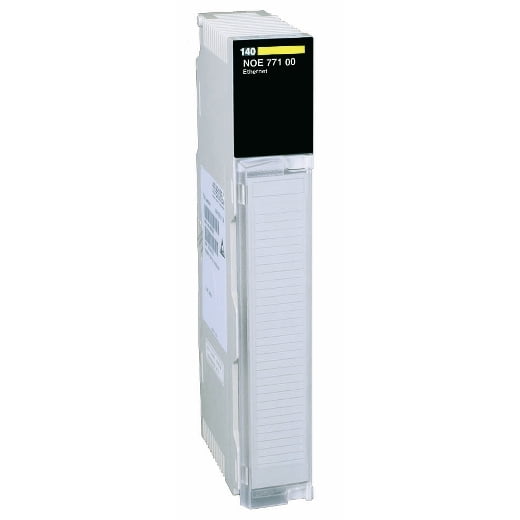
A surprising number of “PLC failures” are actually communication card failures. Ethernet modules and older remote adapters sit at the top of the list for parts that quietly die first while the CPU keeps running fine.
4. Source the Right HMI to Match Your Modicon PLC Parts
A PLC replacement is only half the job if your operator panel is on the same legacy timeline. Magelis touch panels are common companions to Modicon racks and are just as prone to going obsolete.
5. Match Analog and Specialty I/O Carefully
Analog cards are where mismatches cause the most downtime. A module needs to match signal type, range, and isolation, not just the physical slot.
6. Check Drives and Soft Starters in the Same Loop
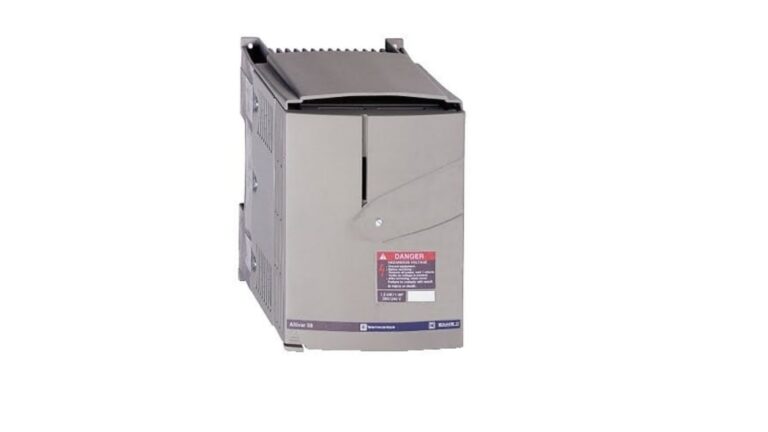
Modicon-controlled lines almost always run alongside Altivar drives or Altistart soft starters. If you’re troubleshooting a Modicon-driven motor circuit, it’s worth checking the drive side too, since these are frequent failure points that get blamed on the PLC.
7. Buy From a Source That Tests Before Shipping
This is the step people skip, and it’s the one that matters most. A used mixed I/O module or a rebuilt relay output card should be bench-tested before it leaves the warehouse, not after it’s bolted into your rack.
Reputable secondary-market suppliers, including the dedicated PAC/PLC section, will tell you upfront whether a part is tested, refurbished, or sold as-is.
For general background on how PLCs fit into a control architecture, the Wikipedia overview of programmable logic controllers is a solid starting reference, and Schneider Electric’s own product lifecycle status pages are worth checking before you assume a part is truly discontinued.
A Quick Word on Power Meters
If your Modicon system is also handling energy monitoring, don’t forget the metering side. Power meter units run on the same communication backbone as your PLC, and a bad meter can throw false alarms that look like a PLC fault.
Q: Are used Modicon PLC parts as reliable as new ones?
Reliability depends entirely on how the part was handled and tested, not its age. A properly tested used module, like a rebuilt CPU or I/O card, can run for years. The risk isn’t age, it’s buying from a source that doesn’t test before shipping.
Q: How do I know if my Modicon PLC parts are truly discontinued?
Check Schneider Electric’s official product status listing first. If a part shows as end-of-life or obsolete, that’s your confirmation to start sourcing from the secondary market rather than waiting on a factory order.
Q: Can I mix old and new Modicon PLC parts in the same rack?
Sometimes, but not always. Compatibility depends on firmware version, backplane generation, and slot addressing. Always verify part numbers and revisions match before installing, especially with CPUs and communication modules.
Q:What’s the fastest way to get a replacement when a Modicon PLC part fails unexpectedly?
Have the exact part number ready, then check a surplus supplier’s live stock before calling Schneider directly. Suppliers who keep tested inventory on hand can usually ship the same day, while factory replacements can take weeks.
Modicon systems are built to last, which is exactly why the parts problem exists in the first place. The hardware outlives the manufacturer’s support window, and that gap is where planning ahead makes the difference between a two-hour fix and a two-week shutdown.
Know your part numbers, check the usual failure points first, power supplies, communication cards, and HMI panels, and buy Modicon PLC parts from a supplier that tests before it ships.