Modicon Premium Processors: TSX P57 Models Compared by I/O and Memory

The suffix on a TSX P57 processor tells you a lot. Models ending in “3M” run PL7 software. Models ending in “34M” run Unity Pro. I/O capacity, built-in Ethernet, and speed also change from model to model. Check the full part number on your CPU before you order a replacement.
A dead processor stops the whole line. You don’t have time to guess. This guide puts three common Modicon Premium processors side by side so you can confirm the match fast.
Why Premium Processors Aren’t Interchangeable
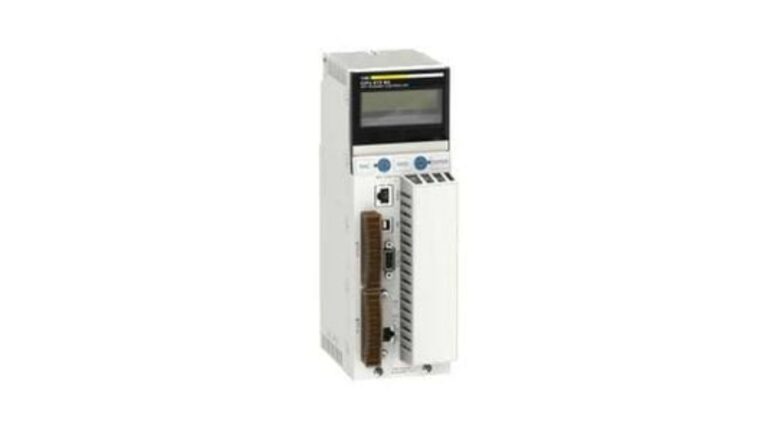
They look almost identical on the rack. All three are double-format modules, and all three sit in the same Premium racks.
But the differences matter:
- Different programming software (PL7 vs Unity Pro)
- Different I/O capacity
- Different communication ports
- Different current draw from the rack’s 5 V supply
Swap in the wrong one and your program may not load. Or it loads and runs out of I/O capacity.
Modicon Premium Processors Compared
| Spec | TSXP57203M | TSXP572634M | TSXP574634M |
|---|---|---|---|
| Programming software | PL7 Junior/Pro | Unity Pro | Unity Pro |
| Discrete I/O capacity | 1,024 | 1,024 | 2,040 |
| Analog I/O capacity | 80 | 80 | 256 |
| Application-specific channels | 24 | 24 | 64 |
| Simple PID loops | 10 to 30 | 10 to 30 | 20 to 60 |
| Boolean instruction time (no PCMCIA card) | 0.19 µs | 0.19 µs | 0.039 to 0.057 µs |
| Built-in communication | Serial (RS485 mini-DIN) | Serial + Ethernet 10/100 | Serial + Ethernet 10/100 + USB |
| Current draw at 5 V DC | 750 mA | 1,650 mA | 1,880 mA |
Figures come from the published specifications on each product page. Always confirm against Schneider’s datasheet for your firmware revision.
1. Check the Software First
This is the most expensive mistake to make. The TSXP57203M is a PL7 processor. The other two are Unity Pro processors.
A program built in one environment doesn’t simply load into the other. It usually needs conversion and testing. If you still run Unity Pro, a Unity Pro software license has to be on hand before you commission a Unity-based CPU.
2. Match I/O Capacity to Your Real I/O Count
Count your actual points. Don’t go by rack size.
- Up to 1,024 discrete and 80 analog points: either of the first two models covers it
- Above that: the TSXP574634M is the one with 2,040 discrete and 256 analog
Going lower than your real count means missing I/O after you swap. That’s a bad surprise mid-shutdown.
3. Add Up the 5 V Budget
The three CPUs draw very different current. The TSXP574634M pulls 1,880 mA at 5 V. The TSXP57203M pulls 750 mA. That’s about 2.5 times more.
If you’re upgrading an older rack, check that the rack power supply still has headroom after the new CPU. A supply that was fine for the old processor can be tight with a bigger one.
4. Don’t Forget the PCMCIA Card
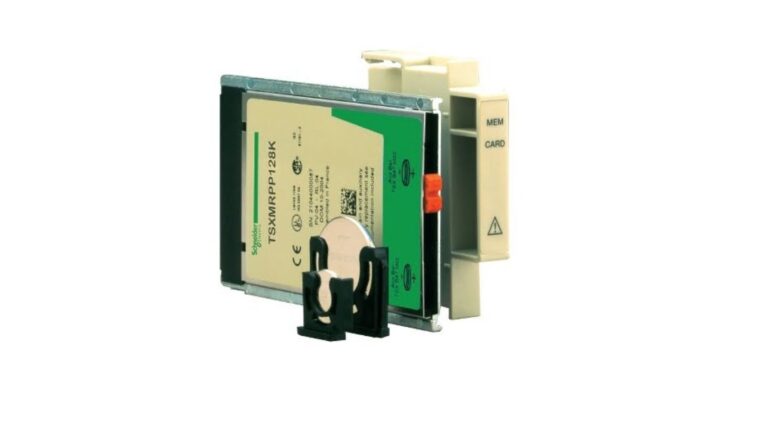
Memory changes a lot with and without the card. On the TSXP57203M, program and data share 48 Kwords internally. A PCMCIA card adds 160 Kwords of program memory. On the TSXP572634M, the internal RAM holds 160 kB of program and data. With a card, program space goes up to 768 kB.
Note the units: Kwords and kB aren’t the same. Don’t compare them across models directly.
5. Buy a Processor That Has Been Tested
Ask whether the CPU has been powered up and run, not just visually checked. A processor with a bad battery or corrupted memory can look fine on the shelf.
For general specs and software compatibility notes, Schneider Electric’s own Modicon Premium documentation is the best source.
Frequently Asked Questions
Q: Can I replace a PL7 processor with a Unity Pro one? A: Not as a straight swap. The software environments are different, so your program needs conversion and testing before it runs on a Unity processor.
Q: Which Premium processor has built-in Ethernet? A: Of these three, the TSXP572634M and TSXP574634M both have a built-in 10/100 Ethernet port. The TSXP57203M has serial communication only.
Q: Do I need a PCMCIA card? A: Not always, but it extends program and data memory. Check your application size against the memory figures for your exact model.
Q: How do I know which processor I have if the label is worn? A: Look for the model on the front of the module and the rack position. If it’s unreadable, send the visible characters and a photo to the supplier before ordering.
Matching Modicon Premium processors comes down to four checks: software (PL7 or Unity Pro), I/O capacity, built-in communication, and the 5 V current budget. Confirm all four against the table above, and buy from a supplier that tests before it ships.