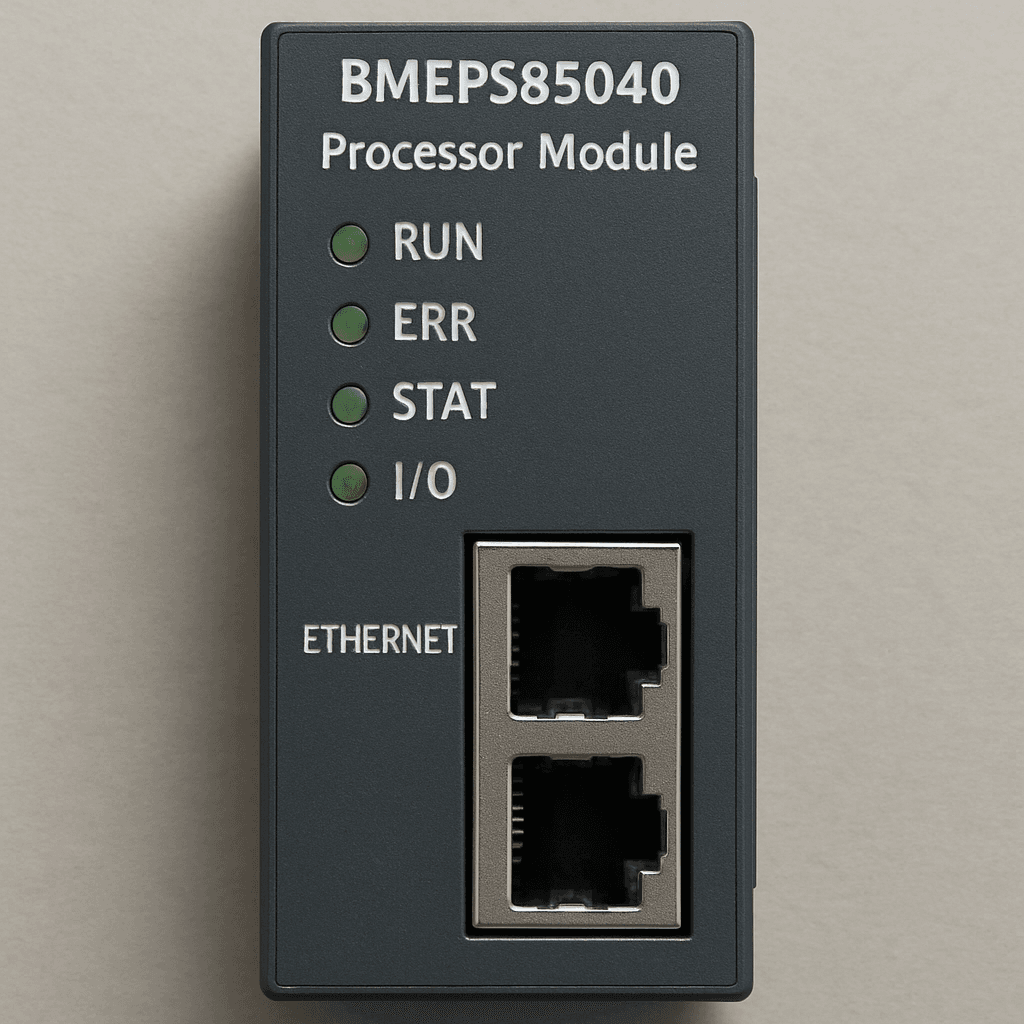
BMEP585040 Processor Module
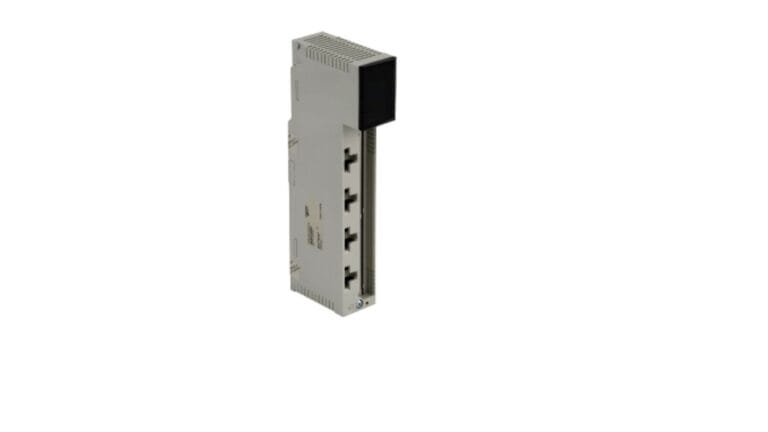
In the rapidly evolving landscape of industrial automation, having a processing unit that can seamlessly integrate, compute, and communicate is no longer a luxury—it is an absolute necessity. The transition from traditional Programmable Logic Controllers (PLCs) to Ethernet Programmable Automation Controllers (ePACs) has transformed how modern plants operate. At the heart of this transformation sits the BMEP585040 Processor Module, a flagship component of the Modicon M580 series.
Designed to empower complex industrial applications, this processor brings the power of open Ethernet to the very core of your control architecture. Whether you are managing a sprawling water treatment facility, a high-speed manufacturing line, or a complex petrochemical plant, relying on a robust processor ensures minimal downtime and maximum efficiency.
In this comprehensive guide, we will dive deep into the capabilities of the BMEP585040 Processor Module. We will explore its hardware specifications, compare it to legacy models, discuss network topologies, and provide actionable tips on installation, redundancy, and troubleshooting. Let’s explore how this powerhouse module can elevate your control systems.
Unpacking the Modicon M580: What Makes the BMEP585040 Stand Out?
The BMEP585040 is not just another processor; it is the brain of a highly connected, transparent architecture. When evaluating the Modicon M580 ePAC hardware features, it becomes immediately clear that this module was built for the Industrial Internet of Things (IIoT). It features a dual-core ARM Cortex-A9 processor, which delivers lightning-fast processing speeds, allowing it to handle vast amounts of I/O data without breaking a sweat.
One of the most critical aspects of any PAC is its ability to store and execute large, complex programs. If you look at the Schneider Electric PAC memory capacity specs, the BMEP585040 Processor Module boasts impressive figures. It typically offers up to 16 MB of program memory and 4096 KB of data memory, alongside an expandable 4 GB SD card slot for data logging, web visualization, and file storage. This vast memory space ensures that even the most logic-heavy programs run smoothly without hitting resource ceilings.
Modicon M580 vs M340 Processor Comparison
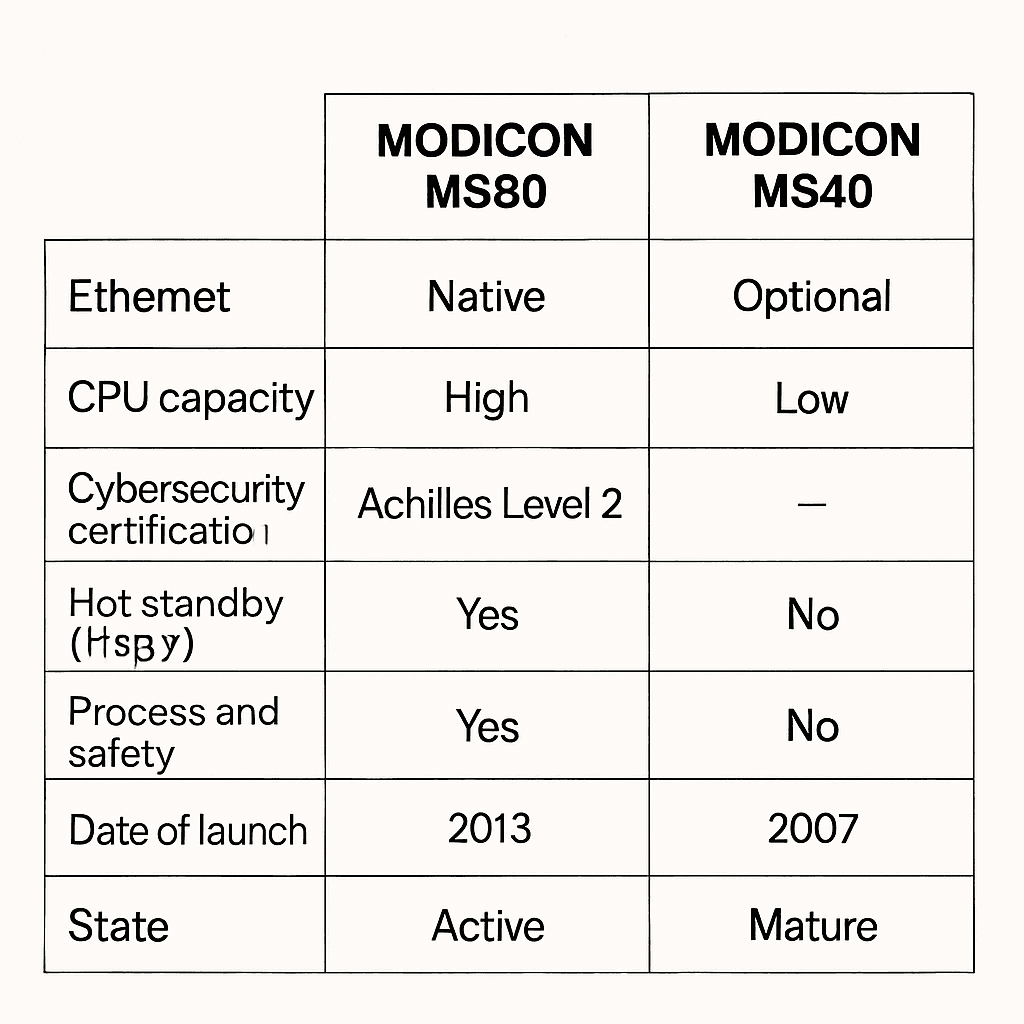
For many automation engineers, the Modicon M340 has been a reliable workhorse for years. However, when performing a Modicon M580 vs M340 processor comparison, the differences in capability and scale become obvious.
- Backplane Technology: The M340 uses a traditional proprietary backplane. The M580 utilizes an Ethernet backplane, meaning communication between the CPU and I/O modules happens at standard Ethernet speeds (100 Mbps), drastically reducing latency.
- I/O Capacity: The BMEP585040 Processor Module can handle thousands of local and remote I/O points, whereas the M340 is suited for smaller, localized applications.
- Built-in Connectivity: The M580 comes with native routing capabilities and device network ports directly on the CPU, making it a true ePAC, whereas the M340 often requires additional communication cards for complex networking.
Building a Resilient Infrastructure: High Availability and Redundancy
In critical infrastructure—such as power generation or oil and gas—a processor failure can result in catastrophic downtime and safety risks. This is why designing a high availability automation system architecture is paramount.
The Modicon M580 ecosystem thrives in high-availability environments through its Hot Standby (HSBY) capabilities. Redundancy ensures that if the primary BMEP585040 Processor Module fails or loses power, a secondary module takes over the control logic seamlessly, often in a matter of milliseconds.
Actionable Tip: How to Configure Schneider PLC Redundancy
If you are wondering how to configure Schneider PLC redundancy using the BMEP585040, follow these essential guidelines:
- Hardware Alignment: Ensure both the primary and standby racks have identical hardware configurations (same CPU firmware, power supplies, and coprocessor modules).
- Sync Link Connection: Connect the two CPUs using the dedicated high-speed synchronization ports. This allows the primary CPU to continuously update the standby CPU with the current logic state.
- IP Addressing: Configure the redundant IP address (the swap IP) in your programming software. This is the address that SCADA systems and HMI devices will use to communicate with the active controller, regardless of which physical CPU is currently in charge.
- Software Configuration: Using your programming environment, enable the “Hot Standby” option in the CPU configuration settings. Validate the project to ensure no hardware mismatches exist before downloading it to the controllers.
Connectivity and Network Design
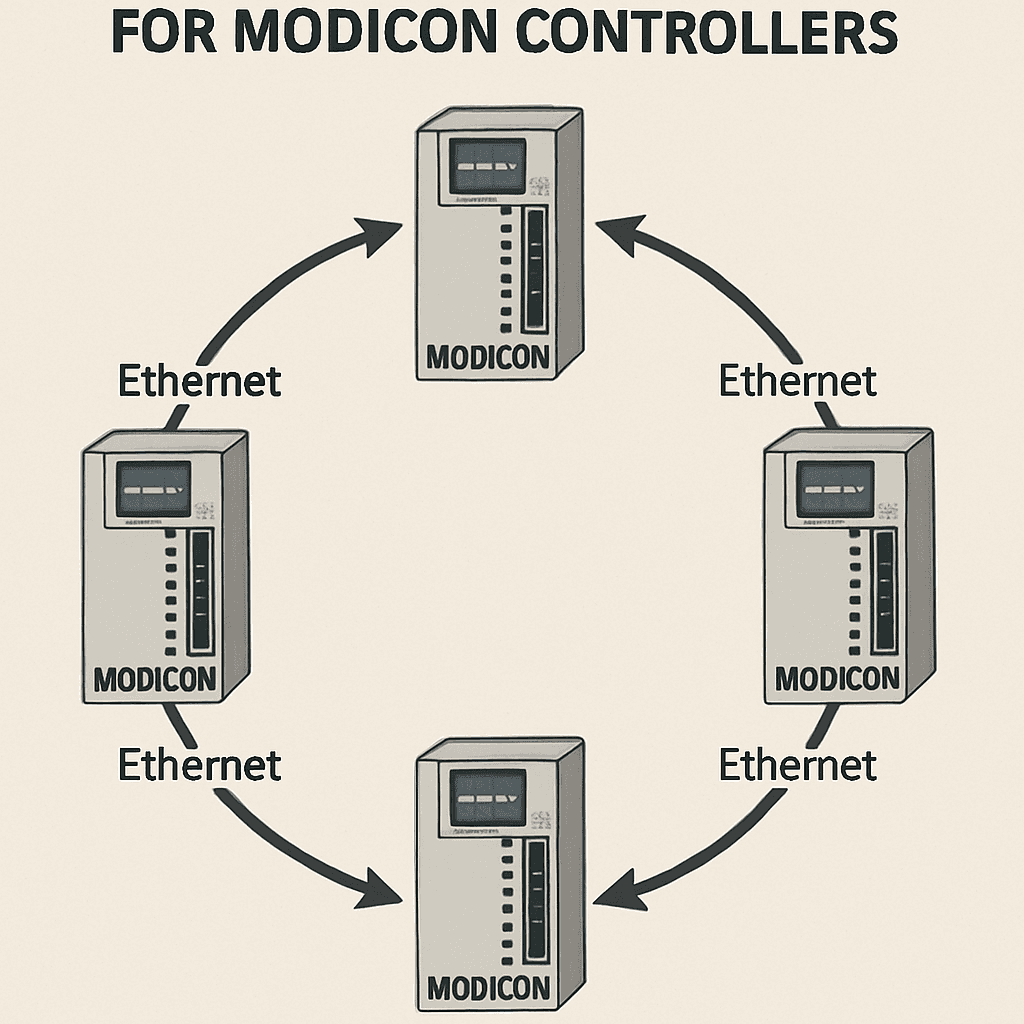
The BMEP585040 Processor Module thrives on connectivity. Because Ethernet is embedded in its backplane, designing an industrial network topology for Modicon controllers is highly flexible. Engineers can choose between star, daisy-chain, and ring topologies.
For maximum reliability, a ring topology utilizing Rapid Spanning Tree Protocol (RSTP) is highly recommended. If a cable breaks in a ring topology, the network instantly reroutes traffic in the opposite direction, ensuring that communication between the BMEP585040 and remote I/O racks remains uninterrupted.
Integrated Ethernet I/O Scanning Configuration
To get your devices talking efficiently, mastering the integrated Ethernet I/O scanning configuration is critical. The BMEP585040 features an embedded scanner that can poll hundreds of field devices (like Variable Speed Drives, sensors, and meters) via Modbus TCP/IP or EtherNet/IP.
- Step 1: Open the DTM (Device Type Manager) browser in your programming software.
- Step 2: Add your remote devices by assigning their specific IP addresses.
- Step 3: Define the scan rates. Group critical safety devices at faster scan rates (e.g., 10ms) and non-critical monitoring devices at slower rates (e.g., 250ms) to preserve network bandwidth.
Maximizing Performance: Speed and Logic Execution
When dealing with high-speed manufacturing, every millisecond counts. The BMEP585040 is engineered for raw speed, but hardware is only half the equation. Software programming plays a huge role in optimizing PLC logic execution speed.
Here are practical ways to optimize your system:
- Task Management: Do not put all your code in the continuous MAST task. Separate your logic into FAST tasks (for high-speed I/O like packaging sensors) and AUX tasks (for low-priority functions like HMI data updates).
- Array Processing: Use arrays and structured data types rather than individual tags. This allows the processor to read and write blocks of data simultaneously, reducing processing overhead.
- Code Modularity: Use Derived Function Blocks (DFBs) to create reusable, compiled code snippets. This reduces the overall footprint of the program and allows the CPU to execute the logic much faster.
Ironclad Security: Protecting Your Plant Floor
As industrial control systems become more connected to enterprise IT networks, they become vulnerable to cyber threats. A major selling point of the M580 family, including the BMEP585040, is its defense-in-depth approach to cybersecurity.
This processor is certified to Achilles Level 2 industrial cybersecurity standards. What does this mean for your plant?
- Firmware Integrity: The CPU only accepts firmware that has been cryptographically signed by Schneider Electric, preventing malicious firmware injections.
- Access Control: It supports strict Role-Based Access Control (RBAC), ensuring that only authorized personnel can change logic or force I/O variables.
- Network Hardening: The Achilles Level 2 certification ensures the processor can withstand severe network stress, such as Denial of Service (DoS) attacks, without halting its control logic. IPsec communication is also supported to encrypt data traveling between the PAC and engineering workstations.

The Upgrade Path: Moving from Legacy Systems
Many facilities are still running older controllers that are approaching end-of-life status. Fortunately, Schneider Electric industrial automation solutions are designed with backward compatibility in mind.
If you are tasked with migrating Modicon Quantum to M580 platform, the process is designed to be as painless as possible. You do not have to rip and replace your entire system overnight.
- I/O Retention: Through the use of specialized adapter modules, you can retain your existing Quantum I/O racks and wiring. The new BMEP585040 Processor Module can seamlessly control legacy I/O over an Ethernet drop.
- Code Translation: Dedicated conversion tools exist within the software to automatically translate legacy Quantum Concept or ProWORX code into modern IEC 61131-3 standard languages.
- Phased Rollout: By upgrading the CPU first and migrating the I/O in phases, you significantly reduce capital expenditure and plant downtime.
Practical Setup: Installation and Programming
Bringing a new BMEP585040 online requires careful physical and software setup. The hardware setup is straightforward but must be done precisely to ensure backplane integrity.
Ethernet Backplane Module Installation Steps
Follow these Ethernet backplane module installation steps for a safe and successful hardware setup:
- Power Down: Always ensure the rack power supply is completely isolated and tagged out.
- Rack Grounding: Ensure the Modicon X80 backplane is securely grounded to the control panel backplate using the grounding terminal. Ethernet communication is highly susceptible to electromagnetic interference (EMI) if improperly grounded.
- Seat the Backplane: Mount the Ethernet-capable X80 backplane (BMEXBP series) to your DIN rail or panel. Note that the M580 CPU must be installed on an Ethernet backplane, not a legacy standard backplane.
- Insert the Processor: Align the BMEP585040 Processor Module with the designated CPU slot (usually slot 00). Push firmly until the module clicks into place, then tighten the retaining screws at the top and bottom to secure it against vibration.
- Power Up: Insert the power supply module, restore power, and watch the boot sequence on the CPU’s LED panel.
Software Integration
Once the hardware is powered up, you will rely heavily on software to bring the machine to life. Consulting an EcoStruxure Control Expert programming guide (formerly Unity Pro) will be your best path forward. EcoStruxure provides a rich, intuitive environment to configure hardware DTMs, map your Ethernet variables, and write logic in Ladder Diagram (LD), Structured Text (ST), or Function Block Diagram (FBD).
Maintenance, Firmware, and Troubleshooting
Even the most robust systems require occasional maintenance. Keeping your processor up to date is essential for both performance improvements and cybersecurity patching.
Updating Firmware
When new features or security patches are released, you will need to apply them. Here are the standard updating Modicon M580 firmware instructions:
- Download the latest verified firmware file (.fw) from the official Schneider Electric portal.
- Connect your PC to the BMEP585040 via the front USB port or through a secure Ethernet connection.
- Open the Schneider Electric Unity Loader or the Device Firmware Upgrade (DFU) tool.
- Select the target CPU, browse for the downloaded firmware file, and initiate the transfer.
- Warning: Never interrupt the power supply or disconnect the cable during this process, as it can brick the module. The CPU will automatically reboot once the flash is complete.
Identifying Issues
If a machine suddenly stops, diagnosing the CPU is your first step. Troubleshooting M580 CPU status indicators (the LEDs on the front panel) can save you hours of guesswork:
- RUN (Green): Indicates the processor is successfully executing logic. If this is off, the CPU is either stopped or in an error state.
- ERR (Red): A flashing red LED usually indicates a recoverable error (like a missing memory card or a minor logic fault). A solid red LED signifies a hard system fault, often requiring a reboot or a program reload.
- I/O (Red): If this is lit, the CPU has lost communication with one or more configured I/O modules. Check your backplane connections and network cables.
- ETH (Green/Yellow): Shows the status of the Ethernet ports. Blinking indicates active data transmission.
Conclusion
The BMEP585040 Processor Module represents a massive leap forward in industrial control technology. By blending incredible processing power with the transparency of an Ethernet-based backplane, it allows modern industrial facilities to operate faster, smarter, and safer.
Whether you are designing a high availability automation system architecture from scratch, migrating away from legacy hardware, or looking to fortify your plant floor against modern cyber threats, this processor offers a comprehensive, reliable solution. By following best practices for installation, programming, and network design, you can ensure that your automation infrastructure will remain robust and scalable for decades to come.
Embrace the power of the ePAC, and give your facility the processing brainpower it deserves.