Modicon Quantum Power Supplies: How to Match Wattage to Your Rack
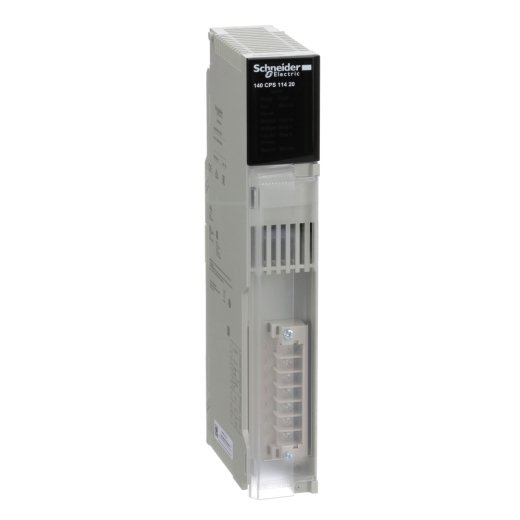
A Modicon Quantum power supply has to match your rack’s total current draw, not just its input voltage. Undersizing it causes random module faults that look like a dozen different problems. Oversizing it wastes money but won’t hurt anything. Check the table below against your rack’s module list before you order.
If your whole rack just went dark, or modules are faulting out in a pattern that makes no sense, the power supply is one of the first things worth checking, before you start pulling individual I/O cards.
Why a Bad Power Supply Looks Like a Dozen Different Problems
A failing or undersized Modicon Quantum power supplies unit rarely announces itself clearly. Instead, you get scattered symptoms: one module faults, then another, then the rack seems fine for a few hours, then it happens again.
That’s because every module on the backplane draws from the same shared power budget. When the supply can’t keep up, the modules closest to their current limit fault first, and it looks random even though the root cause is one part.
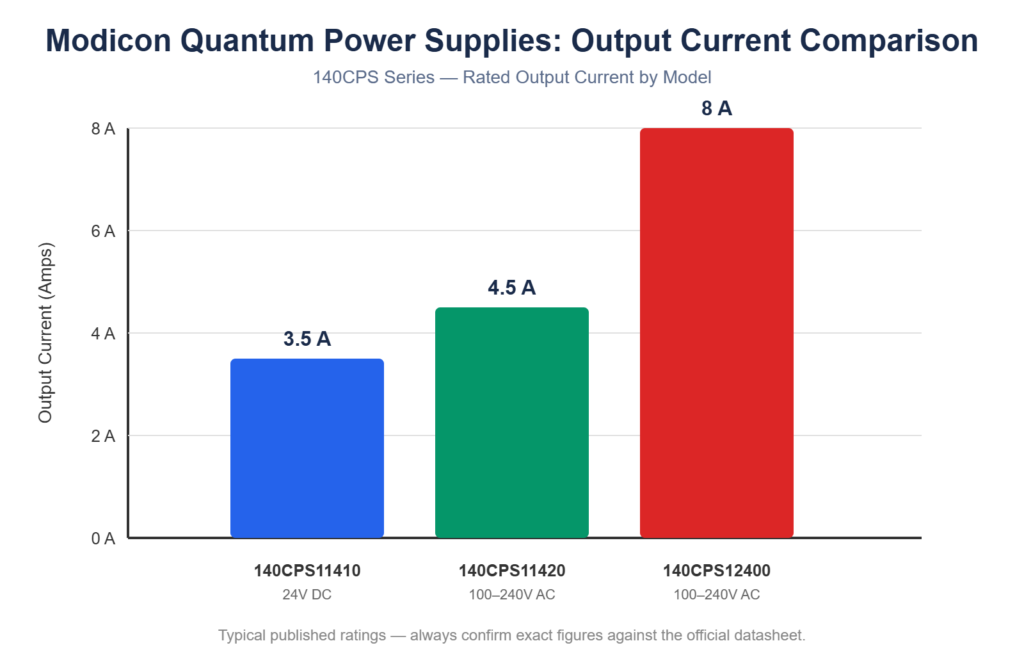
140CPS Power Supplies Compared
| Model | Input Voltage | Typical Output Current | Best For |
|---|---|---|---|
| 140CPS11410 | 24V DC | ~3.5 A | Smaller racks, limited I/O count |
| 140CPS11420 | 100-240V AC | ~4.5 A | Standard mid-size racks |
| 140CPS12400 | 100-240V AC | ~8 A | Larger racks with heavy I/O load |
These are typical published ratings. Add up the current draw of every module in your rack and compare it against the supply’s rated output, with margin, before ordering. Schneider’s official datasheet has exact figures for your specific module mix.
1. Add Up Your Rack’s Actual Power Draw First
Don’t guess. Pull the datasheet for every module in the rack and add up the current draw. If you’re near or over your existing supply’s rated capacity, that’s very likely your problem, especially if the rack was expanded over time with modules added one at a time.
A rack that worked fine for years can outgrow its power supply gradually, one added module at a time, until it finally tips over the edge.
2. Match Input Voltage to Your Actual Panel Supply
This sounds obvious, but it’s an easy detail to miss when ordering under pressure. Some Quantum power supplies run on 24V DC, others on 100-240V AC. Ordering the wrong input type means the unit won’t power up at all, and you’ve lost another day waiting on a second shipment.
3. Don’t Assume “It Worked Before” Means It’ll Work Again
If your rack has been intermittently faulting for weeks and you’re just now replacing the power supply, check whether the real issue is a rack that’s outgrown its supply, not a simple failed unit. Installing an identical replacement in that case just delays the same problem.
4. Buy From a Supplier Who Can Confirm It’s Tested
A power supply that looks fine but hasn’t been load-tested is a gamble you don’t want to take on a rack that’s already down. Ask directly whether the unit has been tested under load, not just powered on and visually checked.
For general background on how these units fit into a Quantum backplane, Schneider Electric’s own Modicon product documentation is the most reliable source for exact current draw specs per module.
Frequently Asked Questions
Q: Can I use a higher-output power supply than my rack technically needs? A: Yes. Oversizing a power supply is safe and simply means more headroom, useful if you’re planning to add modules later. The risk runs the other way, undersizing causes faults.
Q: Why does only part of my rack lose power while the rest stays fine? A: This can happen with certain backplane configurations that segment power across multiple supplies. Check your rack’s specific power architecture before assuming a single supply covers the entire backplane.
Q: How do I calculate total current draw for my rack? A: Add the rated current draw listed on each module’s datasheet. Compare that total against your power supply’s rated output, leaving margin for future expansion.
Q: My power supply is brand new but the rack still faults intermittently. What else could it be? A: Check backplane connections and individual module seating first. A loose module or a dirty backplane connector can produce similar symptoms even with a healthy, correctly-sized power supply.
Matching Modicon Quantum power supplies to your rack comes down to two numbers: total current draw and input voltage. Add up what your modules actually need, check it against the table above, and buy from a supplier who can confirm the unit’s been tested under load before it ships.